Rod Boss Sportfishing
Rod Boss Sportfishing
Bereits bei uns gebucht? Sie qualifizieren sich möglicherweise für einen Treuerabatt. Melden Sie sich an, um dies zu überprüfen.
Hier bei Rod Boss Sportfishing versuchen wir, jeden Ausflug so unterhaltsam und aufregend wie möglich zu gestalten. Von Macatawa (Holland) aus bietet Kapitän Mike ein großartiges Angelabenteuer für alle, die dabei sein möchten. Angler jeden Alters und Könnens sind willkommen, sodass Sie diesen Tag mit Freunden und Familie teilen können.
Sie werden auf einem 31’ Tiara-Boot angeln, das Platz für bis zu 6 Gäste bietet. Dieses Hochleistungsboot wird von zwei 350 PS Crusader-Motoren angetrieben und erreicht eine Höchstgeschwindigkeit von 32 Knoten. Das Boot ist sehr komfortabel, selbst bei ganztägigen Ausflügen. Eine private Toilette steht Ihnen zur Verfügung, um Ihren Tag angenehmer zu gestalten.
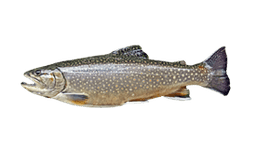
Je nach gewähltem Ausflug besuchen Sie verschiedene Angelgründe. Zielen Sie auf Chinook und Coho Lachs, Forellen und Seeforellen, Steelhead oder Süßwassertrommler (Sheepshead). Der Hauptansatz ist das Schleppangeln, und der Kapitän zeigt Ihnen im Handumdrehen, was zu tun ist. Sobald Sie den Fisch spüren, lassen Sie einfach die Schnur nicht reißen.
Die gesamte Angelausrüstung wird vom Kapitän bereitgestellt und ist im # danielosiro-chn/Homework4-CNN-LSTM # CNN.py import numpy as np import pandas as pd from tensorflow.keras.preprocessing.image import ImageDataGenerator from tensorflow.keras.utils import to_categorical from sklearn.preprocessing import LabelEncoder from sklearn.model_selection import train_test_split from tensorflow.keras.models import Sequential from tensorflow.keras.layers import Dense, Dropout, Conv2D, MaxPooling2D, Flatten, BatchNormalization from tensorflow.keras.layers import Activation, LeakyReLU from tensorflow.keras.optimizers import Adam, SGD from tensorflow.keras.callbacks import ModelCheckpoint, EarlyStopping from sklearn.metrics import classification_report, confusion_matrix import matplotlib.pyplot as plt import cv2 import os import seaborn as sns def preprocess_data(csv_file_path, image_folder_path): # Read the CSV file data = pd.read_csv(csv_file_path) # Extract the image IDs and labels image_ids = data['id'].values labels = data['label'].values # Encode the labels encoder = LabelEncoder() encoded_labels = encoder.fit_transform(labels) # Convert to categorical num_classes = len(np.unique(encoded_labels)) categorical_labels = to_categorical(encoded_labels, num_classes=num_classes) # Read and preprocess the images images = [] for img_id in image_ids: img_path = os.path.join(image_folder_path, img_id) img = cv2.imread(img_path) if img is not None: img = cv2.resize(img, (224, 224)) # Resize to (224, 224) img = img / 255.0 # Normalize images.append(img) else: print(f"Warning: Failed to read image {img_id}") images = np.array(images) # Split the data X_train, X_val, y_train, y_val = train_test_split(images, categorical_labels, test_size=0.2, random_state=42) return X_train, X_val, y_train, y_val, encoder.classes_ def create_cnn_model(input_shape, num_classes): model = Sequential() # First convolutional block model.add(Conv2D(32, (3, 3), padding='same', input_shape=input_shape)) model.add(BatchNormalization()) model.add(LeakyReLU(alpha=0.1)) model.add(MaxPooling2D((2, 2))) model.add(Dropout(0.25)) # Second convolutional block model.add(Conv2D(64, (3, 3), padding='same')) model.add(BatchNormalization()) model.add(LeakyReLU(alpha=0.1)) model.add(MaxPooling2D((2, 2))) model.add(Dropout(0.25)) # Third convolutional block model.add(Conv2D(128, (3, 3), padding='same')) model.add(BatchNormalization()) model.add(LeakyReLU(alpha=0.1)) model.add(MaxPooling2D((2, 2))) model.add(Dropout(0.25)) # Flatten the output and add fully connected layers model.add(Flatten()) model.add(Dense(512)) model.add(BatchNormalization()) model.add(LeakyReLU(alpha=0.1)) model.add(Dropout(0.5)) # Output layer model.add(Dense(num_classes, activation='softmax')) # Compile the model model.compile(optimizer=Adam(learning_rate=0.001), loss='categorical_crossentropy', metrics=['accuracy']) return model def train_model(model, X_train, y_train, X_val, y_val, batch_size=32, epochs=50): # Data augmentation datagen = ImageDataGenerator( rotation_range=20, width_shift_range=0.2, height_shift_range=0.2, horizontal_flip=True, zoom_range=0.2 ) # Callbacks checkpoint = ModelCheckpoint('best_model.h5', monitor='val_accuracy', save_best_only=True, mode='max') early_stopping = EarlyStopping(monitor='val_loss', patience=5, restore_best_weights=True) # Train the model history = model.fit( datagen.flow(X_train, y_train, batch_size=batch_size), steps_per_epoch=len(X_train) // batch_size, epochs=epochs, validation_data=(X_val, y_val), callbacks=[checkpoint, early_stopping] ) return model, history def evaluate_model(model, X_val, y_val, class_names): # Get model predictions y_pred_prob = model.predict(X_val) y_pred = np.argmax(y_pred_prob, axis=1) y_true = np.argmax(y_val, axis=1) # Print classification report print(classification_report(y_true, y_pred, target_names=class_names)) # Plot confusion matrix plt.figure(figsize=(10, 8)) cm = confusion_matrix(y_true, y_pred) sns.heatmap(cm, annot=True, fmt='d', cmap='Blues', xticklabels=class_names, yticklabels=class_names) plt.xlabel('Predicted') plt.ylabel('True') plt.title('Confusion Matrix') plt.tight_layout() plt.savefig('confusion_matrix.png') plt.show() # Plot training history plt.figure(figsize=(12, 4)) plt.subplot(1, 2, 1) plt.plot(history.history['accuracy']) plt.plot(history.history['val_accuracy']) plt.title('Model Accuracy') plt.ylabel('Accuracy') plt.xlabel('Epoch') plt.legend(['Train', 'Validation'], loc='upper left') plt.subplot(1, 2, 2) plt.plot(history.history['loss']) plt.plot(history.history['val_loss']) plt.title('Model Loss') plt.ylabel('Loss') plt.xlabel('Epoch') plt.legend(['Train', 'Validation'], loc='upper left') plt.tight_layout() plt.savefig('training_history.png') plt.show() # Return accuracy return model.evaluate(X_val, y_val)[1] # File paths csv_file_path = '/content/drive/MyDrive/Colab Notebooks/train.csv' image_folder_path = '/content/drive/MyDrive/Colab Notebooks/train/' # Preprocess data X_train, X_val, y_train, y_val, class_names = preprocess_data(csv_file_path, image_folder_path) # Create and train the model model = create_cnn_model(X_train.shape[1:], y_train.shape[1]) model, history = train_model(model, X_train, y_train, X_val, y_val) # Evaluate the model accuracy = evaluate_model(model, X_val, y_val, class_names) print(f"Validation accuracy: {accuracy}") # Save the model model.save('cnn_model.h5') AWSTemplateFormatVersion: '2010-09-09' Description: 'CloudFormation Template for SNS Solution' Parameters: VPC: Description: The VPC where EC2 will be deployed. Type: AWS::EC2::VPC::Id CreatePolicies: Type: String Description: Create required policies Default: Yes AllowedValues: - Yes - No PublicSubnet: Description: Public Subnet ID. Select one Public subnet for the EC2 instances. Type: AWS::EC2::Subnet::Id SSHKeyName: Description: Key pair for SSH access to the EC2 instance Type: AWS::EC2::KeyPair::KeyName SSHLocation: Description: IP address range that can SSH to the EC2 instance. CIDR format and AWS Lambda function Type: String Default: 0.0.0.0/0 AllowedPattern: '^(([0-9]|[1-9][0-9]|1[0-9]{2}|2[0-4][0-9]|25[0-5])\.){3}([0-9]|[1-9][0-9]|1[0-9]{2}|2[0-4][0-9]|25[0-5])(\/([0-9]|[1-2][0-9]|3[0-2]))$' ConstraintDescription: Must be a valid CIDR range of the form x.x.x.x/x. EmailSubscription: Description: Email address to subscribe to the SNS topic Type: String AllowedPattern: '^[a-zA-Z0-9._%+-]+@[a-zA-Z0-9.-]+\.[a-zA-Z]{2,}$' ConstraintDescription: Must be a valid email address. Resources: IAMServiceRole: Type: AWS::IAM::Role Properties: AssumeRolePolicyDocument: Version: '2012-10-17' Statement: - Effect: Allow Principal: Service: - ec2.amazonaws.com Action: - sts:AssumeRole ManagedPolicyArns: - arn:aws:iam::aws:policy/AmazonSSMManagedInstanceCore IAMInstanceProfile: Type: AWS::IAM::InstanceProfile Properties: Roles: - !Ref IAMServiceRole S3ReadOnlyPolicy: Type: AWS::IAM::Policy Condition: CreatePoliciesYes Properties: PolicyName: s3-readonly-access PolicyDocument: Version: '2012-10-17' Statement: - Effect: Allow Action: - s3:GetObject - s3:ListBucket Resource: - arn:aws:s3:::* Roles: - !Ref IAMServiceRole SNSPublishPolicy: Type: AWS::IAM::Policy Condition: CreatePoliciesYes Properties: PolicyName: sns-publish-access PolicyDocument: Version: '2012-10-17' Statement: - Effect: Allow Action: - sns:Publish Resource: - !Ref SNSTopic Roles: - !Ref IAMServiceRole SNSTopic: Type: AWS::SNS::Topic Properties: DisplayName: Alerts TopicName: AlertsTopic SNSSubscription: Type: AWS::SNS::Subscription Properties: Protocol: email TopicArn: !Ref SNSTopic Endpoint: !Ref EmailSubscription SecurityGroup: Type: AWS::EC2::SecurityGroup Properties: GroupDescription: Security group for EC2 instance VpcId: !Ref VPC SecurityGroupIngress: - IpProtocol: tcp FromPort: 22 ToPort: 22 CidrIp: !Ref SSHLocation - IpProtocol: tcp FromPort: 80 ToPort: 80 CidrIp: 0.0.0.0/0 - IpProtocol: tcp FromPort: 443 ToPort: 443 CidrIp: 0.0.0.0/0 Tags: - Key: Name Value: CloudFormation-Security-Group EC2Instance: Type: AWS::EC2::Instance Properties: KeyName: !Ref SSHKeyName ImageId: ami-04823729c75214919 InstanceType: t2.micro SecurityGroupIds: - !Ref SecurityGroup SubnetId: !Ref PublicSubnet IamInstanceProfile: !Ref IAMInstanceProfile Tags: - Key: Name Value: CloudFormation-Instance UserData: Fn::Base64: !Sub | #!/bin/bash -ex # Install dependencies sudo apt-get update -y sudo apt-get install -y python3-pip # Install boto3 sudo pip3 install boto3 # Create Python script to publish to SNS cat > /home/ubuntu/publish_to_sns.py << 'EOF' import boto3 import json def publish_to_sns(topic_arn, message, subject): sns_client = boto3.client('sns', region_name='${AWS::Region}') response = sns_client.publish( TopicArn=topic_arn, Message=message, Subject=subject ) return response if __name__ == "__main__": topic_arn = '${SNSTopic}' message = "This is a test message from the EC2 instance." subject = "Test Notification" response = publish_to_sns(topic_arn, message, subject) print("Message published. Message ID:", response['MessageId']) EOF # Set permissions chmod +x /home/ubuntu/publish_to_sns.py chown ubuntu:ubuntu /home/ubuntu/publish_to_sns.py # Create a script to check CPU and publish alerts cat > /home/ubuntu/check_cpu.sh << 'EOF' #!/bin/bash CPU_USAGE=$(top -bn1 | grep "Cpu(s)" | awk '{print $2 + $4}') THRESHOLD=80 if (( $(echo "$CPU_USAGE > $THRESHOLD" | bc -l) )); then python3 /home/ubuntu/publish_to_sns.py fi EOF # Set permissions chmod +x /home/ubuntu/check_cpu.sh chown ubuntu:ubuntu /home/ubuntu/check_cpu.sh # Add to crontab to run every 5 minutes (crontab -l 2>/dev/null; echo "*/5 * * * * /home/ubuntu/check_cpu.sh") | crontab - # Send initial notification that system is up sudo -u ubuntu python3 /home/ubuntu/publish_to_sns.py # Signal CloudFormation /opt/aws/bin/cfn-signal -e $? --stack "${AWS::StackName}" --resource EC2Instance --region "${AWS::Region}" CreationPolicy: ResourceSignal: Timeout: PT15M Conditions: CreatePoliciesYes: !Equals [!Ref CreatePolicies, 'Yes'] Outputs: InstanceId: Description: ID of the EC2 instance Value: !Ref EC2Instance PublicDNS: Description: Public DNS of the EC2 instance Value: !GetAtt EC2Instance.PublicDnsName PublicIP: Description: Public IP address of the EC2 instance Value: !GetAtt EC2Instance.PublicIp SNSTopicARN: Description: ARN of the SNS Topic Value: !Ref SNSTopic IAMRoleARN: Description: ARN of the IAM Role Value: !GetAtt IAMServiceRole.Arn # src/index.ts interface ShadowObj { color?: string; alpha?: number; x?: number; y?: number; blur?: number; spread?: number; position?: string; } interface ShadowOptions { hover?: boolean; active?: boolean; } const shadowToCss = (shadow: ShadowObj) => { const color = shadow.color ?? "#000000"; const alpha = shadow.alpha ?? 1; const x = shadow.x ?? 0; const y = shadow.y ?? 0; const blur = shadow.blur ?? 0; const spread = shadow.spread ?? 0; const position = shadow.position ?? ""; let returnString = position + " "; returnString += x + "px "; returnString += y + "px "; returnString += blur + "px "; returnString += spread + "px "; returnString += hexToRGBA(color, alpha); return returnString; }; const hexToRGBA = (hex: string, alpha = 1) => { hex = hex.replace("#", ""); if (hex.length === 3) { hex = hex .split("") .map((c) => c + c) .join(""); } const r = parseInt(hex.substring(0, 2), 16); const g = parseInt(hex.substring(2, 4), 16); const b = parseInt(hex.substring(4, 6), 16); return `rgba(${r}, ${g}, ${b}, ${alpha})`; }; export const shadow = ( element: HTMLElement, shadows: ShadowObj | ShadowObj[], options?: ShadowOptions ) => { let shadowString = ""; let shadowArray: ShadowObj[] = []; if (Array.isArray(shadows)) { shadowArray = shadows; } else { shadowArray = [shadows]; } shadowArray.forEach((shadow, index) => { shadowString += shadowToCss(shadow); if (index < shadowArray.length - 1) shadowString += ", "; }); element.style.boxShadow = shadowString; // Create Hover Effect if (options?.hover) { const originalShadow = shadowString; const hoverShadow = shadowArray .map((shadow) => { const hoverScale = 1.1; return { color: shadow.color, alpha: shadow.alpha, x: (shadow.x ?? 0) * hoverScale, y: (shadow.y ?? 0) * hoverScale, blur: (shadow.blur ?? 0) * hoverScale, spread: (shadow.spread ?? 0) * hoverScale, position: shadow.position, }; }) .map(shadowToCss) .join(", "); element.addEventListener("mouseover", () => { element.style.boxShadow = hoverShadow; }); element.addEventListener("mouseout", () => { element.style.boxShadow = originalShadow; }); } // Create Active Effect if (options?.active) { const originalShadow = shadowString; const activeShadow = shadowArray .map((shadow) => { const activeScale = 0.8; return { color: shadow.color, alpha: shadow.alpha, x: (shadow.x ?? 0) * activeScale, y: (shadow.y ?? 0) * activeScale, blur: (shadow.blur ?? 0) * activeScale, spread: (shadow.spread ?? 0) * activeScale, position: shadow.position, }; }) .map(shadowToCss) .join(", "); element.addEventListener("mousedown", () => { element.style.boxShadow = activeShadow; }); element.addEventListener("mouseup", () => { element.style.boxShadow = originalShadow; }); element.addEventListener("mouseout", () => { element.style.boxShadow = originalShadow; }); } }; export default shadow; { "cells": [ { "cell_type": "markdown", "id": "4c69dce0", "metadata": {}, "source": [ "# Linear Algebras: Matrices" ] }, { "cell_type": "markdown", "id": "2fddaaf2", "metadata": {}, "source": [ "A matrix is a two-dimensional array of numbers arranged in rows and columns. It is a fundamental mathematical object in linear algebra and is used in various fields, including computer science, physics, and engineering.\n", "\n", "Example of a 2×3 matrix (2 rows and 3 columns):\n", "\n", "$$\n", "\\begin{bmatrix}\n", "1 & 2 & 3 \\\\\n", "4 & 5 & 6\n", "\\end{bmatrix}\n", "$$\n", "\n", "Let's get intro to this." ] }, { "cell_type": "markdown", "id": "afaab6cd", "metadata": {}, "source": [ "## Creating Matrices" ] }, { "cell_type": "code", "execution_count": 1, "id": "0e43fb62", "metadata": {}, "outputs": [ { "name": "stdout", "output_type": "stream", "text": [ "[[1. 2. 3.]\n", " [4. 5. 6.]]\n" ] } ], "source": [ "import numpy as np\n", "\n", "# Creating a 2x3 matrix\n", "A = np.array([[1., 2., 3.], [4., 5., 6.]])\n", "print(A)" ] }, { "cell_type": "markdown", "id": "ef96c3c8", "metadata": {}, "source": [ "## Matrix Operations\n", "\n", "There are various operations we can perform on matrices, such as addition, subtraction, multiplication, and more. Let's explore these operations:" ] }, { "cell_type": "markdown", "id": "cf8a8ec2", "metadata": {}, "source": [ "### Matrix Addition and Subtraction" ] }, { "cell_type": "code", "execution_count": 2, "id": "e4de9fbd", "metadata": {}, "outputs": [ { "name": "stdout", "output_type": "stream", "text": [ "A + B =\n", "[[ 2. 4. 6.]\n", " [ 8. 10. 12.]]\n", "\n", "A - B =\n", "[[0. 0. 0.]\n", " [0. 0. 0.]]\n" ] } ], "source": [ "# Creating another 2x3 matrix\n", "B = np.array([[1., 2., 3.], [4., 5., 6.]])\n", "\n", "# Matrix addition\n", "addition = A + B\n", "print(\"A + B =\")\n", "print(addition)\n", "print()\n", "\n", "# Matrix subtraction\n", "subtraction = A - B\n", "print(\"A - B =\")\n", "print(subtraction)" ] }, { "cell_type": "markdown", "id": "82f9c81b", "metadata": {}, "source": [ "### Scalar Multiplication" ] }, { "cell_type": "code", "execution_count": 3, "id": "30e17a38", "metadata": {}, "outputs": [ { "name": "stdout", "output_type": "stream", "text": [ "2 * A =\n", "[[ 2. 4. 6.]\n", " [ 8. 10. 12.]]\n" ] } ], "source": [ "# Scalar multiplication: multiplying every element of the matrix by a scalar\n", "scalar_multiplication = 2 * A\n", "print(\"2 * A =\")\n", "print(scalar_multiplication)" ] }, { "cell_type": "markdown", "id": "35bceba0", "metadata": {}, "source": [ "### Matrix Multiplication\n", "\n", "Matrix multiplication is a bit more complex. For matrices A and B to be multiplied, the number of columns in A must equal the number of rows in B." ] }, { "cell_type": "code", "execution_count": 4, "id": "20ea9bc0", "metadata": {}, "outputs": [ { "name": "stdout", "output_type": "stream", "text": [ "A =\n", "[[1. 2. 3.]\n", " [4. 5. 6.]]\n", "\n", "C =\n", "[[7 8]\n", " [9 0]\n", " [1 2]]\n", "\n", "A * C =\n", "[[28. 14.]\n", " [73. 32.]]\n" ] } ], "source": [ "# Creating a 3x2 matrix\n", "C = np.array([[7, 8], [9, 0], [1, 2]])\n", "\n", "print(\"A =\")\n", "print(A)\n", "print()\n", "print(\"C =\")\n", "print(C)\n", "print()\n", "\n", "# Matrix multiplication\n", "# A: 2x3, C: 3x2, so the result will be a 2x2 matrix\n", "multiplication = np.dot(A, C) # or A @ C in newer Python versions\n", "print(\"A * C =\")\n", "print(multiplication)" ] }, { "cell_type": "markdown", "id": "3ec42089", "metadata": {}, "source": [ "### Matrix Transposition" ] }, { "cell_type": "code", "execution_count": 5, "id": "e1fdc8c1", "metadata": {}, "outputs": [ { "name": "stdout", "output_type": "stream", "text": [ "A =\n", "[[1. 2. 3.]\n", " [4. 5. 6.]]\n", "\n", "A transpose =\n", "[[1. 4.]\n", " [2. 5.]\n", " [3. 6.]]\n" ] } ], "source": [ "# Matrix transposition (swapping rows and columns)\n", "print(\"A =\")\n", "print(A)\n", "print()\n", "transposed = A.T\n", "print(\"A transpose =\")\n", "print(transposed)" ] }, { "cell_type": "markdown", "id": "a4a2e6cb", "metadata": {}, "source": [ "### Matrix Inverse\n", "\n", "For a square matrix A, the inverse A^(-1) satisfies A * A^(-1) = A^(-1) * A = I, where I is the identity matrix." ] }, { "cell_type": "code", "execution_count": 6, "id": "40ab51ec", "metadata": {}, "outputs": [ { "name": "stdout", "output_type": "stream", "text": [ "D =\n", "[[1 2]\n", " [3 4]]\n", "\n", "D inverse =\n", "[[-2. 1. ]\n", " [ 1.5 -0.5]]\n", "\n", "D * D inverse =\n", "[[1.0000000e+00 0.0000000e+00]\n", " [8.8817842e-16 1.0000000e+00]]\n" ] } ], "source": [ "# Creating a square matrix\n", "D = np.array([[1, 2], [3, 4]])\n", "print(\"D =\")\n", "print(D)\n", "print()\n", "\n", "# Calculating the inverse\n", "D_inv = np.linalg.inv(D)\n", "print(\"D inverse =\")\n", "print(D_inv)\n", "print()\n", "\n", "# Verifying D * D_inv = I\n", "I
Hier bei Rod Boss Sportfishing versuchen wir, jeden Ausflug so unterhaltsam und aufregend wie möglich zu gestalten. Von Macatawa (Holland) aus bietet Kapitän Mike ein großartiges Angelabenteuer für alle, die dabei sein möchten. Angler jeden Alters und Könnens sind willkommen, sodass Sie diesen Tag mit Freunden und Familie teilen können.
Sie werden auf einem 31’ Tiara-Boot angeln, das Platz für bis zu 6 Gäste bietet. Dieses Hochleistungsboot wird von zwei 350 PS Crusader-Motoren angetrieben und erreicht eine Höchstgeschwindigkeit von 32 Knoten. Das Boot ist sehr komfortabel, selbst bei ganztägigen Ausflügen. Eine private Toilette steht Ihnen zur Verfügung, um Ihren Tag angenehmer zu gestalten.
Je nach gewähltem Ausflug besuchen Sie verschiedene Angelgründe. Zielen Sie auf Chinook und Coho Lachs, Forellen und Seeforellen, Steelhead oder Süßwassertrommler (Sheepshead). Der Hauptansatz ist das Schleppangeln, und der Kapitän zeigt Ihnen im Handumdrehen, was zu tun ist. Sobald Sie den Fisch spüren, lassen Sie einfach die Schnur nicht reißen.
Die gesamte Angelausrüstung wird vom Kapitän bereitgestellt und ist im # danielosiro-chn/Homework4-CNN-LSTM # CNN.py import numpy as np import pandas as pd from tensorflow.keras.preprocessing.image import ImageDataGenerator from tensorflow.keras.utils import to_categorical from sklearn.preprocessing import LabelEncoder from sklearn.model_selection import train_test_split from tensorflow.keras.models import Sequential from tensorflow.keras.layers import Dense, Dropout, Conv2D, MaxPooling2D, Flatten, BatchNormalization from tensorflow.keras.layers import Activation, LeakyReLU from tensorflow.keras.optimizers import Adam, SGD from tensorflow.keras.callbacks import ModelCheckpoint, EarlyStopping from sklearn.metrics import classification_report, confusion_matrix import matplotlib.pyplot as plt import cv2 import os import seaborn as sns def preprocess_data(csv_file_path, image_folder_path): # Read the CSV file data = pd.read_csv(csv_file_path) # Extract the image IDs and labels image_ids = data['id'].values labels = data['label'].values # Encode the labels encoder = LabelEncoder() encoded_labels = encoder.fit_transform(labels) # Convert to categorical num_classes = len(np.unique(encoded_labels)) categorical_labels = to_categorical(encoded_labels, num_classes=num_classes) # Read and preprocess the images images = [] for img_id in image_ids: img_path = os.path.join(image_folder_path, img_id) img = cv2.imread(img_path) if img is not None: img = cv2.resize(img, (224, 224)) # Resize to (224, 224) img = img / 255.0 # Normalize images.append(img) else: print(f"Warning: Failed to read image {img_id}") images = np.array(images) # Split the data X_train, X_val, y_train, y_val = train_test_split(images, categorical_labels, test_size=0.2, random_state=42) return X_train, X_val, y_train, y_val, encoder.classes_ def create_cnn_model(input_shape, num_classes): model = Sequential() # First convolutional block model.add(Conv2D(32, (3, 3), padding='same', input_shape=input_shape)) model.add(BatchNormalization()) model.add(LeakyReLU(alpha=0.1)) model.add(MaxPooling2D((2, 2))) model.add(Dropout(0.25)) # Second convolutional block model.add(Conv2D(64, (3, 3), padding='same')) model.add(BatchNormalization()) model.add(LeakyReLU(alpha=0.1)) model.add(MaxPooling2D((2, 2))) model.add(Dropout(0.25)) # Third convolutional block model.add(Conv2D(128, (3, 3), padding='same')) model.add(BatchNormalization()) model.add(LeakyReLU(alpha=0.1)) model.add(MaxPooling2D((2, 2))) model.add(Dropout(0.25)) # Flatten the output and add fully connected layers model.add(Flatten()) model.add(Dense(512)) model.add(BatchNormalization()) model.add(LeakyReLU(alpha=0.1)) model.add(Dropout(0.5)) # Output layer model.add(Dense(num_classes, activation='softmax')) # Compile the model model.compile(optimizer=Adam(learning_rate=0.001), loss='categorical_crossentropy', metrics=['accuracy']) return model def train_model(model, X_train, y_train, X_val, y_val, batch_size=32, epochs=50): # Data augmentation datagen = ImageDataGenerator( rotation_range=20, width_shift_range=0.2, height_shift_range=0.2, horizontal_flip=True, zoom_range=0.2 ) # Callbacks checkpoint = ModelCheckpoint('best_model.h5', monitor='val_accuracy', save_best_only=True, mode='max') early_stopping = EarlyStopping(monitor='val_loss', patience=5, restore_best_weights=True) # Train the model history = model.fit( datagen.flow(X_train, y_train, batch_size=batch_size), steps_per_epoch=len(X_train) // batch_size, epochs=epochs, validation_data=(X_val, y_val), callbacks=[checkpoint, early_stopping] ) return model, history def evaluate_model(model, X_val, y_val, class_names): # Get model predictions y_pred_prob = model.predict(X_val) y_pred = np.argmax(y_pred_prob, axis=1) y_true = np.argmax(y_val, axis=1) # Print classification report print(classification_report(y_true, y_pred, target_names=class_names)) # Plot confusion matrix plt.figure(figsize=(10, 8)) cm = confusion_matrix(y_true, y_pred) sns.heatmap(cm, annot=True, fmt='d', cmap='Blues', xticklabels=class_names, yticklabels=class_names) plt.xlabel('Predicted') plt.ylabel('True') plt.title('Confusion Matrix') plt.tight_layout() plt.savefig('confusion_matrix.png') plt.show() # Plot training history plt.figure(figsize=(12, 4)) plt.subplot(1, 2, 1) plt.plot(history.history['accuracy']) plt.plot(history.history['val_accuracy']) plt.title('Model Accuracy') plt.ylabel('Accuracy') plt.xlabel('Epoch') plt.legend(['Train', 'Validation'], loc='upper left') plt.subplot(1, 2, 2) plt.plot(history.history['loss']) plt.plot(history.history['val_loss']) plt.title('Model Loss') plt.ylabel('Loss') plt.xlabel('Epoch') plt.legend(['Train', 'Validation'], loc='upper left') plt.tight_layout() plt.savefig('training_history.png') plt.show() # Return accuracy return model.evaluate(X_val, y_val)[1] # File paths csv_file_path = '/content/drive/MyDrive/Colab Notebooks/train.csv' image_folder_path = '/content/drive/MyDrive/Colab Notebooks/train/' # Preprocess data X_train, X_val, y_train, y_val, class_names = preprocess_data(csv_file_path, image_folder_path) # Create and train the model model = create_cnn_model(X_train.shape[1:], y_train.shape[1]) model, history = train_model(model, X_train, y_train, X_val, y_val) # Evaluate the model accuracy = evaluate_model(model, X_val, y_val, class_names) print(f"Validation accuracy: {accuracy}") # Save the model model.save('cnn_model.h5') AWSTemplateFormatVersion: '2010-09-09' Description: 'CloudFormation Template for SNS Solution' Parameters: VPC: Description: The VPC where EC2 will be deployed. Type: AWS::EC2::VPC::Id CreatePolicies: Type: String Description: Create required policies Default: Yes AllowedValues: - Yes - No PublicSubnet: Description: Public Subnet ID. Select one Public subnet for the EC2 instances. Type: AWS::EC2::Subnet::Id SSHKeyName: Description: Key pair for SSH access to the EC2 instance Type: AWS::EC2::KeyPair::KeyName SSHLocation: Description: IP address range that can SSH to the EC2 instance. CIDR format and AWS Lambda function Type: String Default: 0.0.0.0/0 AllowedPattern: '^(([0-9]|[1-9][0-9]|1[0-9]{2}|2[0-4][0-9]|25[0-5])\.){3}([0-9]|[1-9][0-9]|1[0-9]{2}|2[0-4][0-9]|25[0-5])(\/([0-9]|[1-2][0-9]|3[0-2]))$' ConstraintDescription: Must be a valid CIDR range of the form x.x.x.x/x. EmailSubscription: Description: Email address to subscribe to the SNS topic Type: String AllowedPattern: '^[a-zA-Z0-9._%+-]+@[a-zA-Z0-9.-]+\.[a-zA-Z]{2,}$' ConstraintDescription: Must be a valid email address. Resources: IAMServiceRole: Type: AWS::IAM::Role Properties: AssumeRolePolicyDocument: Version: '2012-10-17' Statement: - Effect: Allow Principal: Service: - ec2.amazonaws.com Action: - sts:AssumeRole ManagedPolicyArns: - arn:aws:iam::aws:policy/AmazonSSMManagedInstanceCore IAMInstanceProfile: Type: AWS::IAM::InstanceProfile Properties: Roles: - !Ref IAMServiceRole S3ReadOnlyPolicy: Type: AWS::IAM::Policy Condition: CreatePoliciesYes Properties: PolicyName: s3-readonly-access PolicyDocument: Version: '2012-10-17' Statement: - Effect: Allow Action: - s3:GetObject - s3:ListBucket Resource: - arn:aws:s3:::* Roles: - !Ref IAMServiceRole SNSPublishPolicy: Type: AWS::IAM::Policy Condition: CreatePoliciesYes Properties: PolicyName: sns-publish-access PolicyDocument: Version: '2012-10-17' Statement: - Effect: Allow Action: - sns:Publish Resource: - !Ref SNSTopic Roles: - !Ref IAMServiceRole SNSTopic: Type: AWS::SNS::Topic Properties: DisplayName: Alerts TopicName: AlertsTopic SNSSubscription: Type: AWS::SNS::Subscription Properties: Protocol: email TopicArn: !Ref SNSTopic Endpoint: !Ref EmailSubscription SecurityGroup: Type: AWS::EC2::SecurityGroup Properties: GroupDescription: Security group for EC2 instance VpcId: !Ref VPC SecurityGroupIngress: - IpProtocol: tcp FromPort: 22 ToPort: 22 CidrIp: !Ref SSHLocation - IpProtocol: tcp FromPort: 80 ToPort: 80 CidrIp: 0.0.0.0/0 - IpProtocol: tcp FromPort: 443 ToPort: 443 CidrIp: 0.0.0.0/0 Tags: - Key: Name Value: CloudFormation-Security-Group EC2Instance: Type: AWS::EC2::Instance Properties: KeyName: !Ref SSHKeyName ImageId: ami-04823729c75214919 InstanceType: t2.micro SecurityGroupIds: - !Ref SecurityGroup SubnetId: !Ref PublicSubnet IamInstanceProfile: !Ref IAMInstanceProfile Tags: - Key: Name Value: CloudFormation-Instance UserData: Fn::Base64: !Sub | #!/bin/bash -ex # Install dependencies sudo apt-get update -y sudo apt-get install -y python3-pip # Install boto3 sudo pip3 install boto3 # Create Python script to publish to SNS cat > /home/ubuntu/publish_to_sns.py << 'EOF' import boto3 import json def publish_to_sns(topic_arn, message, subject): sns_client = boto3.client('sns', region_name='${AWS::Region}') response = sns_client.publish( TopicArn=topic_arn, Message=message, Subject=subject ) return response if __name__ == "__main__": topic_arn = '${SNSTopic}' message = "This is a test message from the EC2 instance." subject = "Test Notification" response = publish_to_sns(topic_arn, message, subject) print("Message published. Message ID:", response['MessageId']) EOF # Set permissions chmod +x /home/ubuntu/publish_to_sns.py chown ubuntu:ubuntu /home/ubuntu/publish_to_sns.py # Create a script to check CPU and publish alerts cat > /home/ubuntu/check_cpu.sh << 'EOF' #!/bin/bash CPU_USAGE=$(top -bn1 | grep "Cpu(s)" | awk '{print $2 + $4}') THRESHOLD=80 if (( $(echo "$CPU_USAGE > $THRESHOLD" | bc -l) )); then python3 /home/ubuntu/publish_to_sns.py fi EOF # Set permissions chmod +x /home/ubuntu/check_cpu.sh chown ubuntu:ubuntu /home/ubuntu/check_cpu.sh # Add to crontab to run every 5 minutes (crontab -l 2>/dev/null; echo "*/5 * * * * /home/ubuntu/check_cpu.sh") | crontab - # Send initial notification that system is up sudo -u ubuntu python3 /home/ubuntu/publish_to_sns.py # Signal CloudFormation /opt/aws/bin/cfn-signal -e $? --stack "${AWS::StackName}" --resource EC2Instance --region "${AWS::Region}" CreationPolicy: ResourceSignal: Timeout: PT15M Conditions: CreatePoliciesYes: !Equals [!Ref CreatePolicies, 'Yes'] Outputs: InstanceId: Description: ID of the EC2 instance Value: !Ref EC2Instance PublicDNS: Description: Public DNS of the EC2 instance Value: !GetAtt EC2Instance.PublicDnsName PublicIP: Description: Public IP address of the EC2 instance Value: !GetAtt EC2Instance.PublicIp SNSTopicARN: Description: ARN of the SNS Topic Value: !Ref SNSTopic IAMRoleARN: Description: ARN of the IAM Role Value: !GetAtt IAMServiceRole.Arn # src/index.ts interface ShadowObj { color?: string; alpha?: number; x?: number; y?: number; blur?: number; spread?: number; position?: string; } interface ShadowOptions { hover?: boolean; active?: boolean; } const shadowToCss = (shadow: ShadowObj) => { const color = shadow.color ?? "#000000"; const alpha = shadow.alpha ?? 1; const x = shadow.x ?? 0; const y = shadow.y ?? 0; const blur = shadow.blur ?? 0; const spread = shadow.spread ?? 0; const position = shadow.position ?? ""; let returnString = position + " "; returnString += x + "px "; returnString += y + "px "; returnString += blur + "px "; returnString += spread + "px "; returnString += hexToRGBA(color, alpha); return returnString; }; const hexToRGBA = (hex: string, alpha = 1) => { hex = hex.replace("#", ""); if (hex.length === 3) { hex = hex .split("") .map((c) => c + c) .join(""); } const r = parseInt(hex.substring(0, 2), 16); const g = parseInt(hex.substring(2, 4), 16); const b = parseInt(hex.substring(4, 6), 16); return `rgba(${r}, ${g}, ${b}, ${alpha})`; }; export const shadow = ( element: HTMLElement, shadows: ShadowObj | ShadowObj[], options?: ShadowOptions ) => { let shadowString = ""; let shadowArray: ShadowObj[] = []; if (Array.isArray(shadows)) { shadowArray = shadows; } else { shadowArray = [shadows]; } shadowArray.forEach((shadow, index) => { shadowString += shadowToCss(shadow); if (index < shadowArray.length - 1) shadowString += ", "; }); element.style.boxShadow = shadowString; // Create Hover Effect if (options?.hover) { const originalShadow = shadowString; const hoverShadow = shadowArray .map((shadow) => { const hoverScale = 1.1; return { color: shadow.color, alpha: shadow.alpha, x: (shadow.x ?? 0) * hoverScale, y: (shadow.y ?? 0) * hoverScale, blur: (shadow.blur ?? 0) * hoverScale, spread: (shadow.spread ?? 0) * hoverScale, position: shadow.position, }; }) .map(shadowToCss) .join(", "); element.addEventListener("mouseover", () => { element.style.boxShadow = hoverShadow; }); element.addEventListener("mouseout", () => { element.style.boxShadow = originalShadow; }); } // Create Active Effect if (options?.active) { const originalShadow = shadowString; const activeShadow = shadowArray .map((shadow) => { const activeScale = 0.8; return { color: shadow.color, alpha: shadow.alpha, x: (shadow.x ?? 0) * activeScale, y: (shadow.y ?? 0) * activeScale, blur: (shadow.blur ?? 0) * activeScale, spread: (shadow.spread ?? 0) * activeScale, position: shadow.position, }; }) .map(shadowToCss) .join(", "); element.addEventListener("mousedown", () => { element.style.boxShadow = activeShadow; }); element.addEventListener("mouseup", () => { element.style.boxShadow = originalShadow; }); element.addEventListener("mouseout", () => { element.style.boxShadow = originalShadow; }); } }; export default shadow; { "cells": [ { "cell_type": "markdown", "id": "4c69dce0", "metadata": {}, "source": [ "# Linear Algebras: Matrices" ] }, { "cell_type": "markdown", "id": "2fddaaf2", "metadata": {}, "source": [ "A matrix is a two-dimensional array of numbers arranged in rows and columns. It is a fundamental mathematical object in linear algebra and is used in various fields, including computer science, physics, and engineering.\n", "\n", "Example of a 2×3 matrix (2 rows and 3 columns):\n", "\n", "$$\n", "\\begin{bmatrix}\n", "1 & 2 & 3 \\\\\n", "4 & 5 & 6\n", "\\end{bmatrix}\n", "$$\n", "\n", "Let's get intro to this." ] }, { "cell_type": "markdown", "id": "afaab6cd", "metadata": {}, "source": [ "## Creating Matrices" ] }, { "cell_type": "code", "execution_count": 1, "id": "0e43fb62", "metadata": {}, "outputs": [ { "name": "stdout", "output_type": "stream", "text": [ "[[1. 2. 3.]\n", " [4. 5. 6.]]\n" ] } ], "source": [ "import numpy as np\n", "\n", "# Creating a 2x3 matrix\n", "A = np.array([[1., 2., 3.], [4., 5., 6.]])\n", "print(A)" ] }, { "cell_type": "markdown", "id": "ef96c3c8", "metadata": {}, "source": [ "## Matrix Operations\n", "\n", "There are various operations we can perform on matrices, such as addition, subtraction, multiplication, and more. Let's explore these operations:" ] }, { "cell_type": "markdown", "id": "cf8a8ec2", "metadata": {}, "source": [ "### Matrix Addition and Subtraction" ] }, { "cell_type": "code", "execution_count": 2, "id": "e4de9fbd", "metadata": {}, "outputs": [ { "name": "stdout", "output_type": "stream", "text": [ "A + B =\n", "[[ 2. 4. 6.]\n", " [ 8. 10. 12.]]\n", "\n", "A - B =\n", "[[0. 0. 0.]\n", " [0. 0. 0.]]\n" ] } ], "source": [ "# Creating another 2x3 matrix\n", "B = np.array([[1., 2., 3.], [4., 5., 6.]])\n", "\n", "# Matrix addition\n", "addition = A + B\n", "print(\"A + B =\")\n", "print(addition)\n", "print()\n", "\n", "# Matrix subtraction\n", "subtraction = A - B\n", "print(\"A - B =\")\n", "print(subtraction)" ] }, { "cell_type": "markdown", "id": "82f9c81b", "metadata": {}, "source": [ "### Scalar Multiplication" ] }, { "cell_type": "code", "execution_count": 3, "id": "30e17a38", "metadata": {}, "outputs": [ { "name": "stdout", "output_type": "stream", "text": [ "2 * A =\n", "[[ 2. 4. 6.]\n", " [ 8. 10. 12.]]\n" ] } ], "source": [ "# Scalar multiplication: multiplying every element of the matrix by a scalar\n", "scalar_multiplication = 2 * A\n", "print(\"2 * A =\")\n", "print(scalar_multiplication)" ] }, { "cell_type": "markdown", "id": "35bceba0", "metadata": {}, "source": [ "### Matrix Multiplication\n", "\n", "Matrix multiplication is a bit more complex. For matrices A and B to be multiplied, the number of columns in A must equal the number of rows in B." ] }, { "cell_type": "code", "execution_count": 4, "id": "20ea9bc0", "metadata": {}, "outputs": [ { "name": "stdout", "output_type": "stream", "text": [ "A =\n", "[[1. 2. 3.]\n", " [4. 5. 6.]]\n", "\n", "C =\n", "[[7 8]\n", " [9 0]\n", " [1 2]]\n", "\n", "A * C =\n", "[[28. 14.]\n", " [73. 32.]]\n" ] } ], "source": [ "# Creating a 3x2 matrix\n", "C = np.array([[7, 8], [9, 0], [1, 2]])\n", "\n", "print(\"A =\")\n", "print(A)\n", "print()\n", "print(\"C =\")\n", "print(C)\n", "print()\n", "\n", "# Matrix multiplication\n", "# A: 2x3, C: 3x2, so the result will be a 2x2 matrix\n", "multiplication = np.dot(A, C) # or A @ C in newer Python versions\n", "print(\"A * C =\")\n", "print(multiplication)" ] }, { "cell_type": "markdown", "id": "3ec42089", "metadata": {}, "source": [ "### Matrix Transposition" ] }, { "cell_type": "code", "execution_count": 5, "id": "e1fdc8c1", "metadata": {}, "outputs": [ { "name": "stdout", "output_type": "stream", "text": [ "A =\n", "[[1. 2. 3.]\n", " [4. 5. 6.]]\n", "\n", "A transpose =\n", "[[1. 4.]\n", " [2. 5.]\n", " [3. 6.]]\n" ] } ], "source": [ "# Matrix transposition (swapping rows and columns)\n", "print(\"A =\")\n", "print(A)\n", "print()\n", "transposed = A.T\n", "print(\"A transpose =\")\n", "print(transposed)" ] }, { "cell_type": "markdown", "id": "a4a2e6cb", "metadata": {}, "source": [ "### Matrix Inverse\n", "\n", "For a square matrix A, the inverse A^(-1) satisfies A * A^(-1) = A^(-1) * A = I, where I is the identity matrix." ] }, { "cell_type": "code", "execution_count": 6, "id": "40ab51ec", "metadata": {}, "outputs": [ { "name": "stdout", "output_type": "stream", "text": [ "D =\n", "[[1 2]\n", " [3 4]]\n", "\n", "D inverse =\n", "[[-2. 1. ]\n", " [ 1.5 -0.5]]\n", "\n", "D * D inverse =\n", "[[1.0000000e+00 0.0000000e+00]\n", " [8.8817842e-16 1.0000000e+00]]\n" ] } ], "source": [ "# Creating a square matrix\n", "D = np.array([[1, 2], [3, 4]])\n", "print(\"D =\")\n", "print(D)\n", "print()\n", "\n", "# Calculating the inverse\n", "D_inv = np.linalg.inv(D)\n", "print(\"D inverse =\")\n", "print(D_inv)\n", "print()\n", "\n", "# Verifying D * D_inv = I\n", "I
Kundenbewertungen
Bewertung
Angler-Galerie (58)
Alle Bewertungen (23)


Highly recommend Rod Boss! Mike and Seth provided a comfortable and fun sunset fishing outing. We had a great day and caught 7 salmon!!


What a trip,beautiful sunrise on Lake Michigan. Had 2 fish in the boat in 45 minutes. Mike and Jason worked there tails off keeping us on fish. The crew,boat,and trip 5 star plus!! A trip my brother and sisters will remember forever.


Great Charter. Mike & crew worked hard to set us up for a successful haul & then expertly filleted the catch and put it on ice for us to take home. Our group of 6 caught a 29 & 31inch Steelhead, a 20# Salmon and 4 nice sized Lake Trout … among other fish. Thank you for a great day on Lake Michigan!


Thank you for booking with us. It was great to get to know everyone. It was a fun trip for sure.

Great trip! Captain Mike is a great guy and genuinely wants to his customers to have a good time. Worked his butt off switching things up mid way through to continue to get us bites. Will definitely book again in the future. Thanks!
Thanks again for booking with us! It was great getting to know you guys. Hopefully we meet up again.

Captain Mike was great and we and our grandkids had a great time!
Thank you for booking with us. It was great getting to know everyone. Hopefully we will see each other next year.
Verfügbarkeit und Preise der Angeltouren
| So | Mo | Di | Mi | Do | Fr | Sa | |
|---|---|---|---|---|---|---|---|
Kundenbewertungen
Bewertung
Angler-Galerie (58)
Alle Bewertungen (23)
Highly recommend Rod Boss! Mike and Seth provided a comfortable and fun sunset fishing outing. We had a great day and caught 7 salmon!!
What a trip,beautiful sunrise on Lake Michigan. Had 2 fish in the boat in 45 minutes. Mike and Jason worked there tails off keeping us on fish. The crew,boat,and trip 5 star plus!! A trip my brother and sisters will remember forever.
Great Charter. Mike & crew worked hard to set us up for a successful haul & then expertly filleted the catch and put it on ice for us to take home. Our group of 6 caught a 29 & 31inch Steelhead, a 20# Salmon and 4 nice sized Lake Trout … among other fish. Thank you for a great day on Lake Michigan!
Thank you for booking with us. It was great to get to know everyone. It was a fun trip for sure.
Great trip! Captain Mike is a great guy and genuinely wants to his customers to have a good time. Worked his butt off switching things up mid way through to continue to get us bites. Will definitely book again in the future. Thanks!
Thanks again for booking with us! It was great getting to know you guys. Hopefully we meet up again.
Captain Mike was great and we and our grandkids had a great time!
Thank you for booking with us. It was great getting to know everyone. Hopefully we will see each other next year.
